
Guide
Oblique MPR explained.
Multiplanar reconstruction (MPR) re-slices a stack of images into other planes. Oblique MPR tilts those planes to any angle, instead of keeping to the fixed axial, sagittal and coronal views.
What MPR does
A thin-slice volume, such as a CT series, is a stack of images that together describe a block of space. Because the slices cover that space, the block can be resampled into planes other than the one the images were acquired in. This works best when the slices are thin and evenly spaced.
The three standard planes are axial, sagittal and coronal. Each one is a flat cut through the same volume, and together they let you move through it in three directions.
Why tilt the plane
Structures do not always run along the standard planes. A plane that is tilted to line up with something running at an angle to them can show that structure along its length in one image.
Oblique MPR in NoustaView
In NoustaView the axial, sagittal and coronal planes are freely rotatable around any axis. They are never locked to 90°, and they stay mutually consistent with each other. Reference lines show the real angle of the other planes, so an oblique reconstruction still tells you where you are.
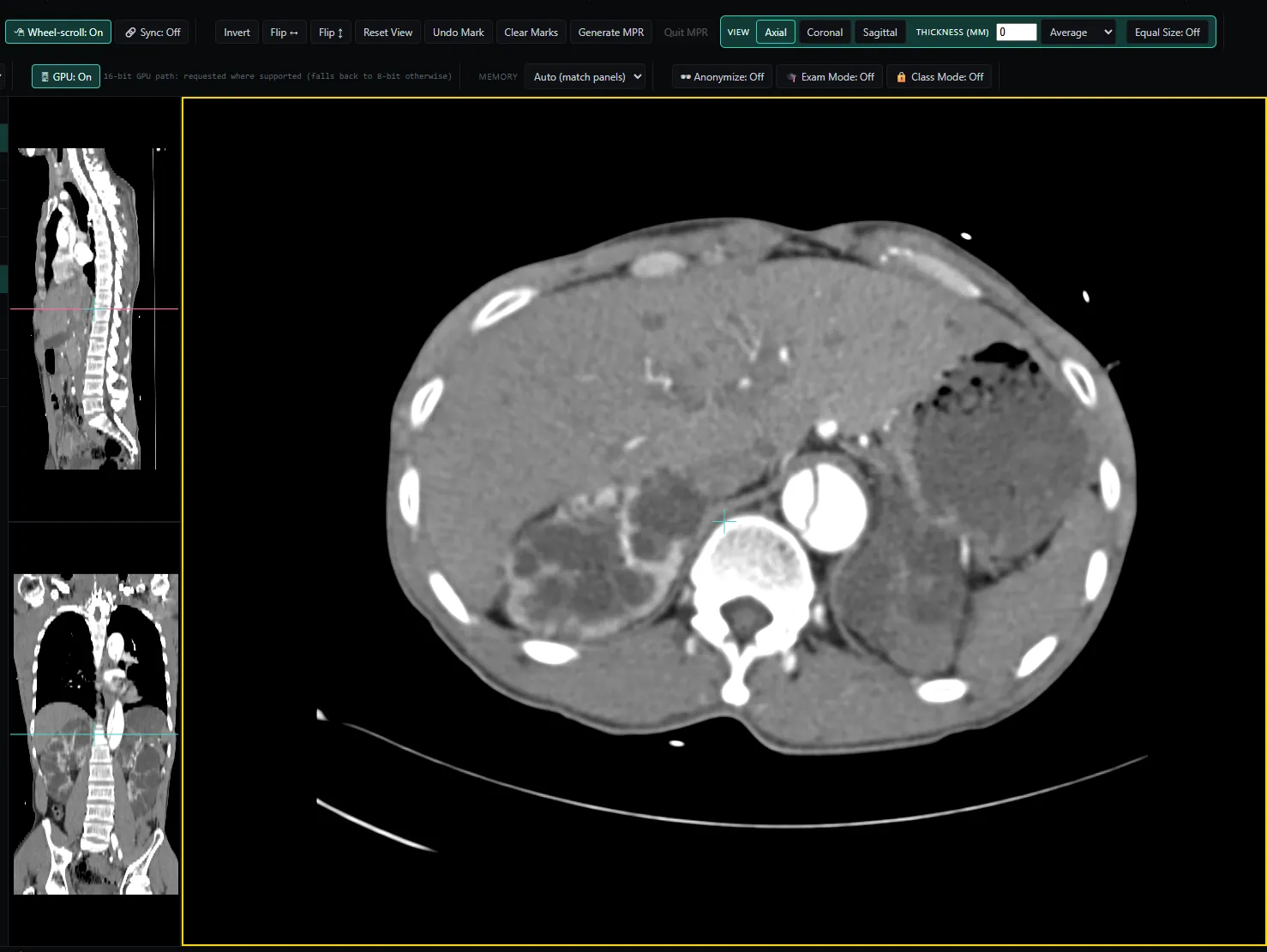
Thickness reconstructs thicker slabs on the fly. Set a value in millimetres and each plane combines that many millimetres of samples instead of one thin sample. Average is the standard thick-slice reformat and smooths noise. MIP keeps the brightest sample at each pixel in the slab. Equal Size switches between one large plane with two small reference planes, and all three at the same size.
Reslicing runs on the GPU where your browser supports it. Where it does not, the viewer falls back to the CPU, and phones use the CPU only.
The studies themselves are DICOM files. DICOM, the standard that stores and exchanges medical imaging studies, is published by NEMA.
Try it
Open a thin-slice series in the viewer and switch to MPR. Rotate the planes, then watch the reference lines to see the angle of each one against the others. The user guide covers the rest of the MPR controls.
Related
It is not a certified medical device and is not intended for primary diagnostic use, and it does not replace a calibrated diagnostic workstation.