
Guide
Share a DICOM case by link or QR code.
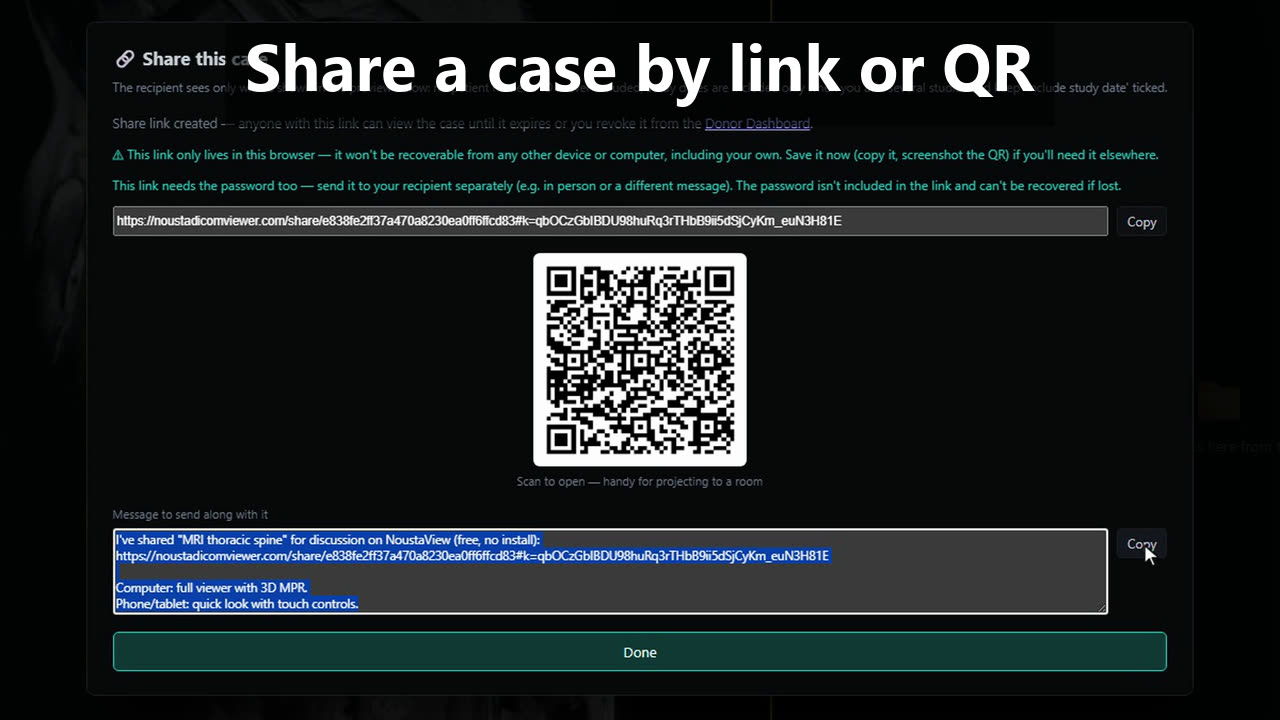
Share Case sends a de-identified copy of a study as a link or a QR code. Watch the 1:37 video, or follow the seven steps below.
Steps
- Share Case needs a Supporter or Pro plan. Sign in with Google or a personal Microsoft account, using the email you subscribed with.
- Open the study in the viewer and click Share Case.
- Add a label if you like; recipients see it, so keep patient details out. Choose how long the link lasts, and add a password if you want one. Send the password separately: it isn't in the link.
- Pick the series to share and check the de-identified preview. Detection can miss burned-in text, so check it yourself.
- Create the share, then copy the link or show the QR code.
- The recipient opens it with no account and no install. They can view the case but not download it.
- From your dashboard, extend the link (each extend adds 3 days for Supporter or 7 for Pro) or revoke it early.
Related
It is not a certified medical device and is not intended for primary diagnostic use, and it does not replace a calibrated diagnostic workstation.